
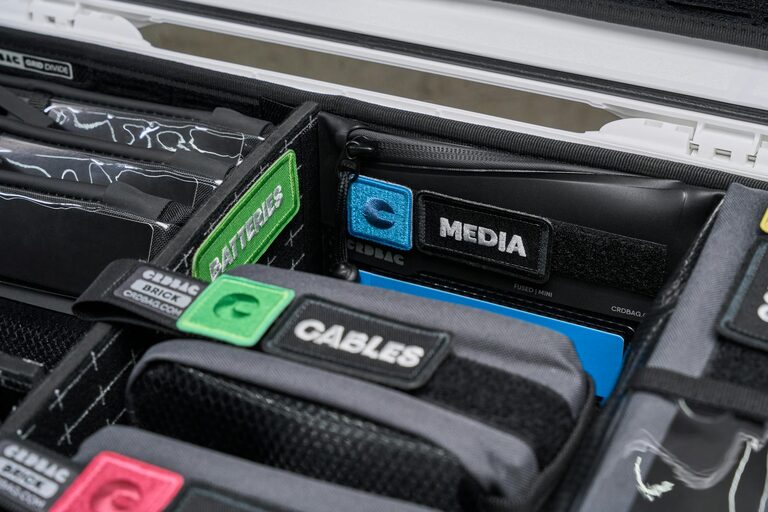
Keeping cables and chargers tidy can be a challenge, especially as more electronic devices enter our everyday lives. Messy cables not only look untidy but can also lead to frustration and even damage if they get tangled or pulled too much. Luckily, organizing cables doesn’t have to be complicated or expensive. With a few simple tips and some helpful tools, you can create a neat, accessible setup that keeps your cords under control.
Why Organizing Cables Matters
Before diving into the how-to, let’s look at why cable organization is beneficial:
– Prevents damage: Twisted or knotted cables wear out faster. Proper storage extends their lifespan.
– Saves time: Find the right charger or cable quickly without digging through a pile.
– Improves safety: Avoid tripping hazards or accidental disconnections.
– Enhances aesthetics: A clean workspace looks more inviting and professional.
With this in mind, here are some practical steps to keep your cables and chargers neat.
Step 1: Sort and Declutter
Start by gathering all your cables and chargers in one place. Go through each item and ask yourself:
– Do I use this regularly?
– Is this cable still working?
– Do I have duplicates?
Get rid of broken cables or ones you no longer need. This reduces clutter and makes organizing easier.
Step 2: Label Your Cables
Labeling helps identify cables quickly. You can use:
– Washi tape or masking tape with a permanent marker
– Pre-made cable labels or tags
– Colored stickers or zip ties to code different cables
Write the device name or purpose on the label. This simple step will save you time when you need to unplug or locate a particular cable.
Step 3: Use Cable Management Tools
There are many affordable tools designed to keep cables tidy:
Cable Clips and Holders
Stick these on your desk or wall to hold charging cables in place. They prevent cables from falling off surfaces or tangling up.
Cable Sleeves and Tubes
Bundle multiple cables inside sleeves or tubes to keep them together and reduce clutter.
Cable Ties and Velcro Straps
Use reusable Velcro straps to wrap cables neatly. These are great for bundling excess cable length and keeping loops secure.
Cord Boxes
Cord boxes hide power strips and excess cable length inside a neat container. This is perfect for living room or office setups.
Step 4: Create Dedicated Charging Stations
Designate a specific spot for charging devices. A clean charging station reduces cable chaos by centralizing cords in one area. Consider:
– A box or tray with holes for cables
– A small shelf with charging docks
– A desktop organizer with charging ports
Keep only the chargers you use regularly in this area to avoid overcrowding.
Step 5: Manage Cable Length
Too much slack can quickly turn into tangles. Trim excess cable length by:
– Wrapping the cable into a loose loop secured with a Velcro strap
– Using cable winders or rewinders
– Adjusting the cable path to minimize slack behind desks or furniture
Step 6: Organize Under Desks and Behind Furniture
Cables often get messy under desks and behind entertainment units. Tackle these hidden areas by:
– Mounting power strips under desks with adhesive hooks or brackets
– Using cables clips or adhesive mounts to guide cables along desk legs
– Bundling cables together with sleeves or ties to keep them off the floor
This approach reduces dust buildup and tripping hazards.
Step 7: Maintain Your Setup Regularly
Organization is an ongoing process. Set aside a few minutes every month to:
– Check your cables and chargers
– Remove unused items
– Re-label or re-bundle if needed
Regular maintenance keeps your space neat and prevents build-up of clutter.
Additional Tips for Cable Organization
– Use wireless charging when possible to reduce cables.
– Keep a small kit with spare ties, clips, and labels handy.
– Color-code cables by device type or room for easier identification.
– Consider retractable cables for portable chargers.
Final Thoughts
Organizing cables and chargers doesn’t require complex solutions. With a bit of planning and simple tools, you can create a clean, efficient space that makes daily charging and connectivity easy. Whether it’s your home office, living room, or bedside table, keeping cables neat improves both function and looks.
Start small, stay consistent, and enjoy the calm that a tidy, cable-free environment brings!
